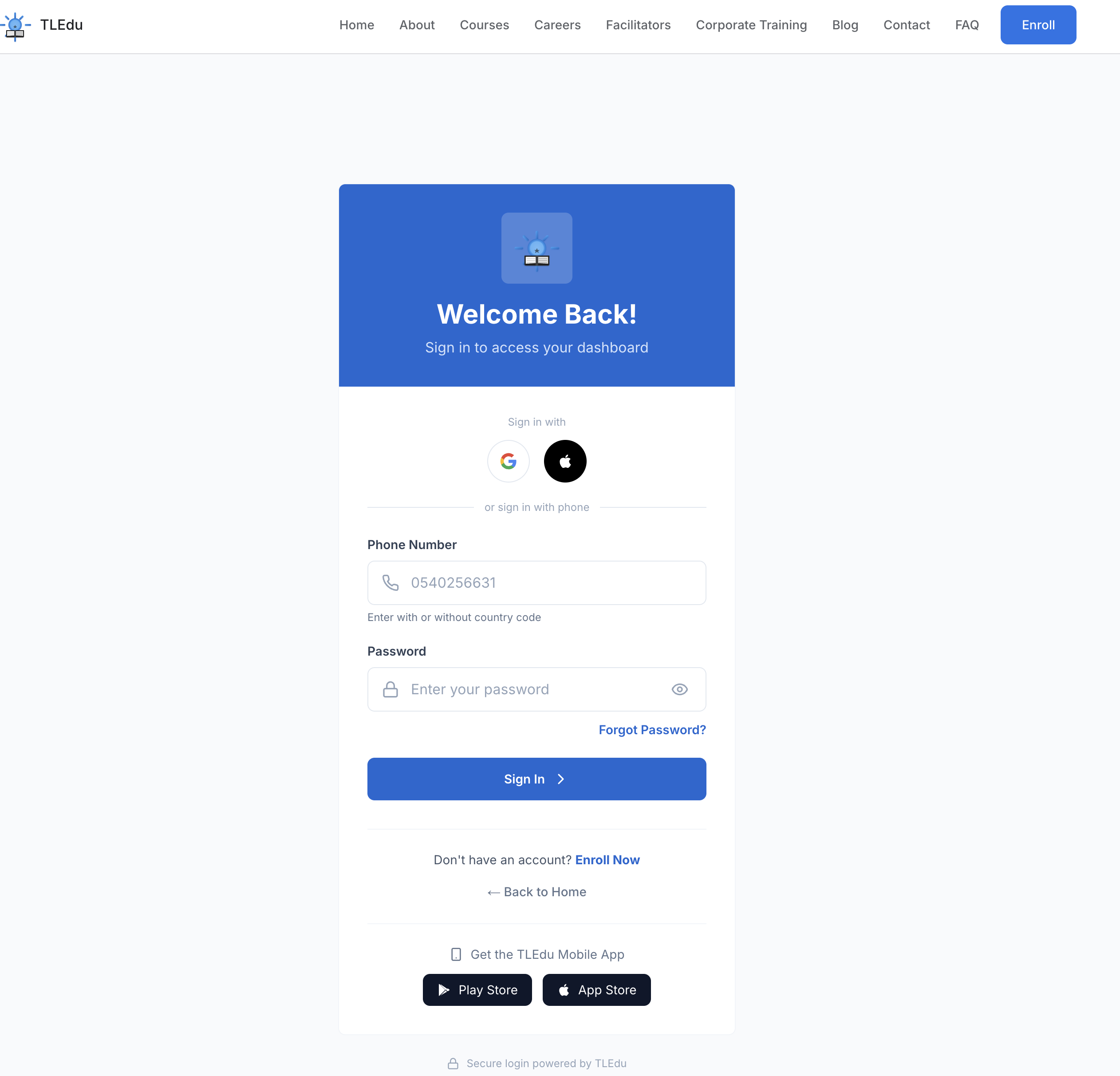
1. Visit the student portal:
https://tledughana.com/student/
Enter your username and password to login.
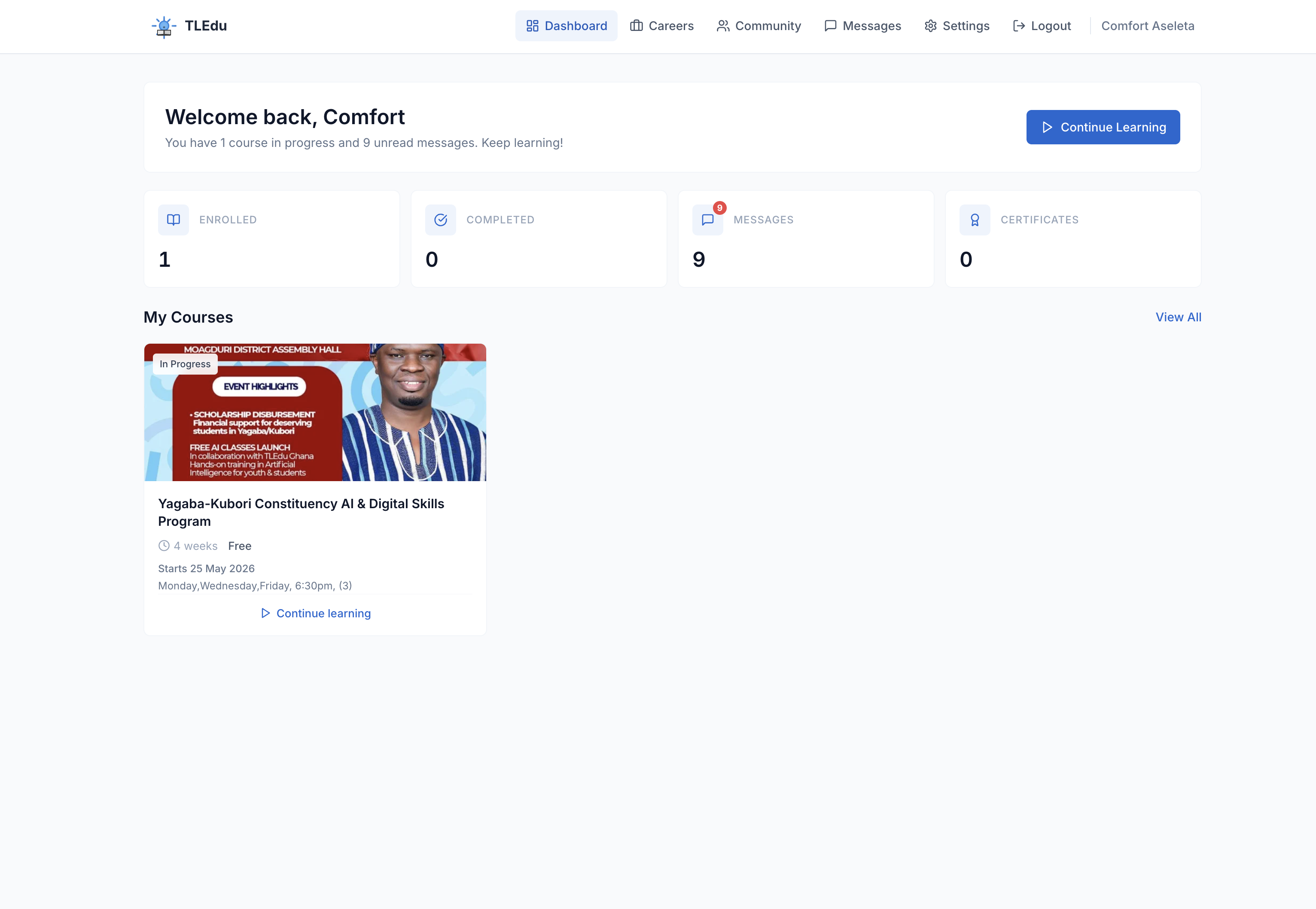
2. After log in, you will be redirected to the dashboard.
Locate your course and click on it to open.
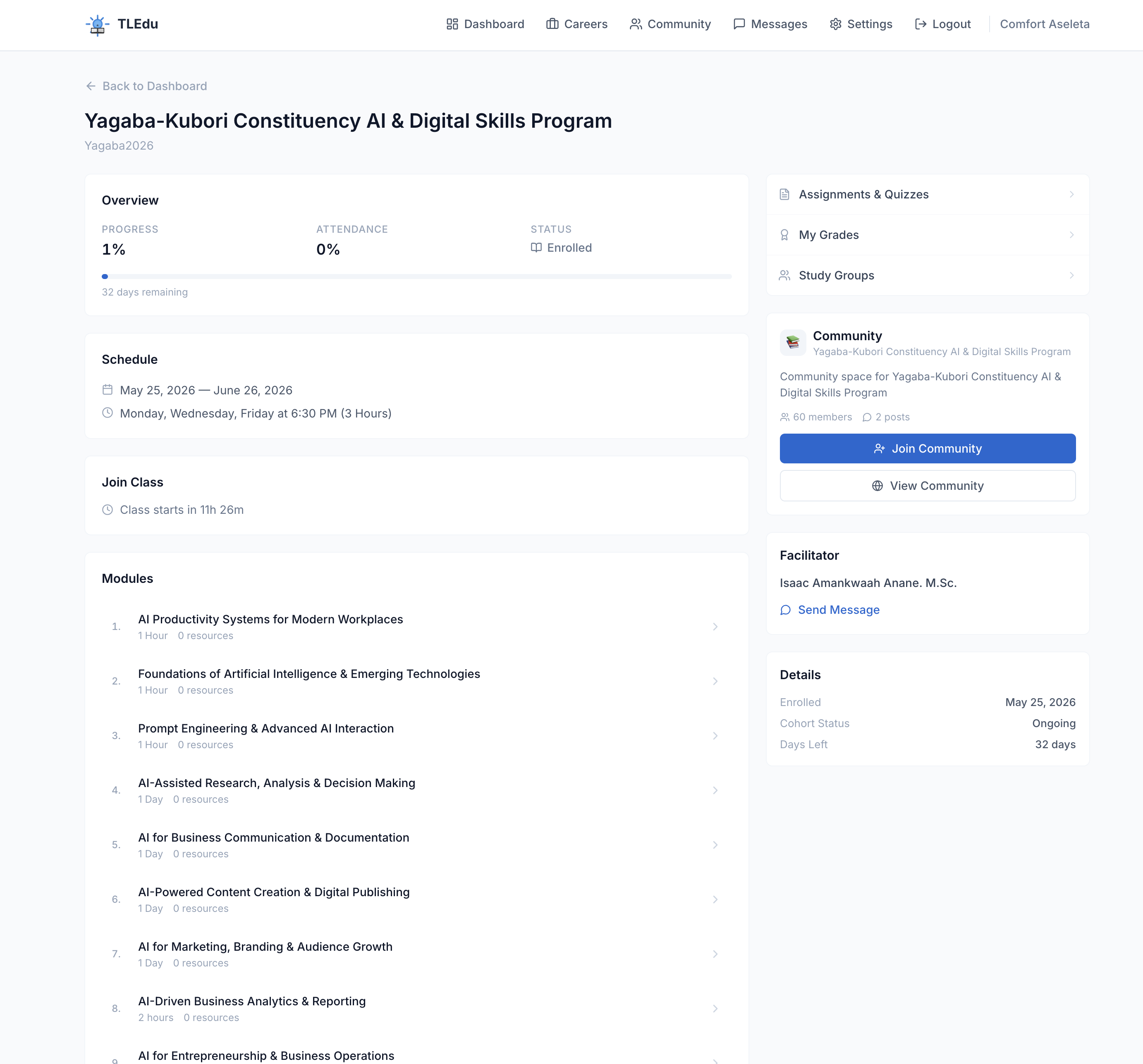
3. Opened Course Detail Page.
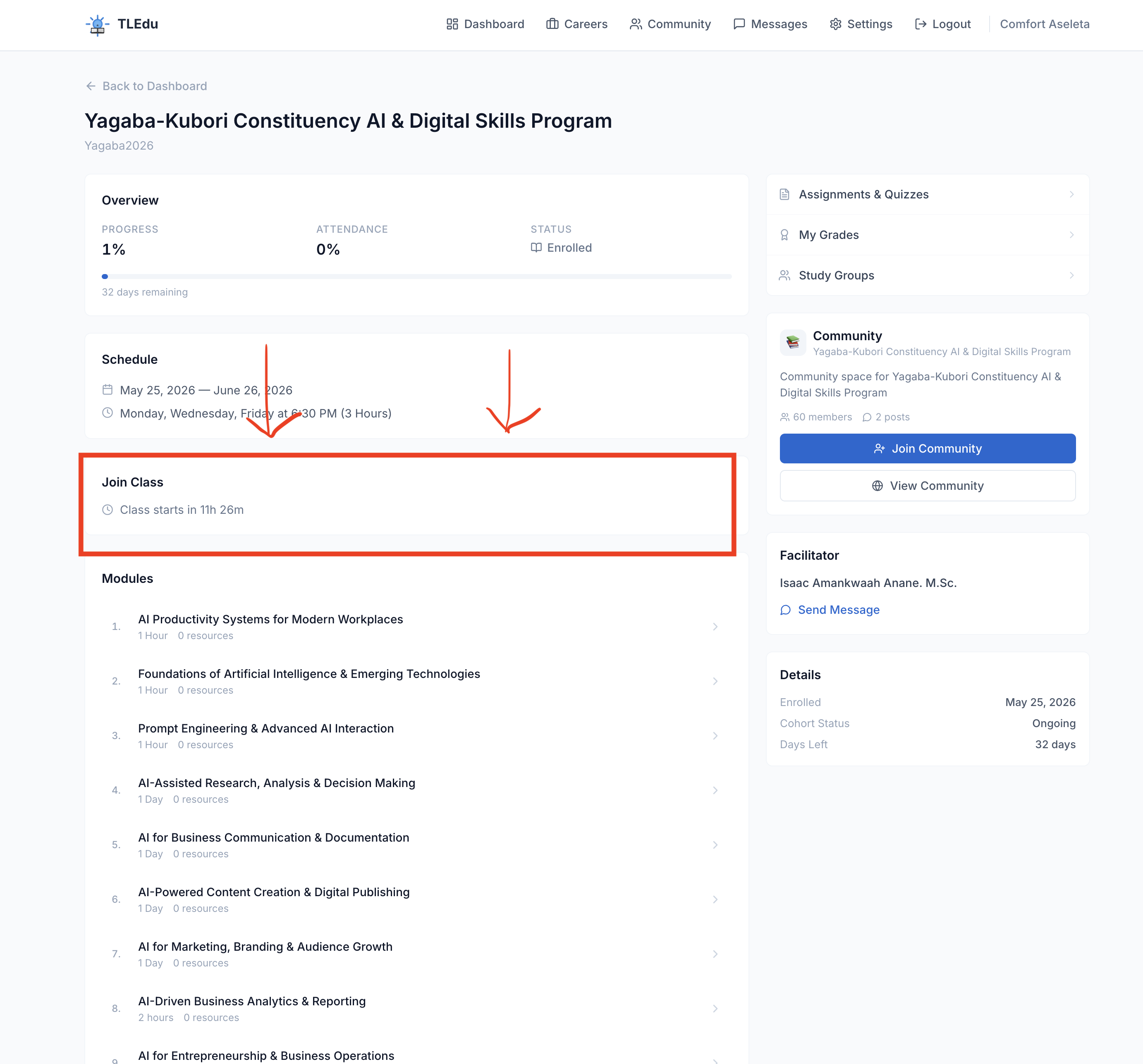
Look for the Join Class Section
4. If the class has not started yet, the “Join Zoom Class” button will not appear.
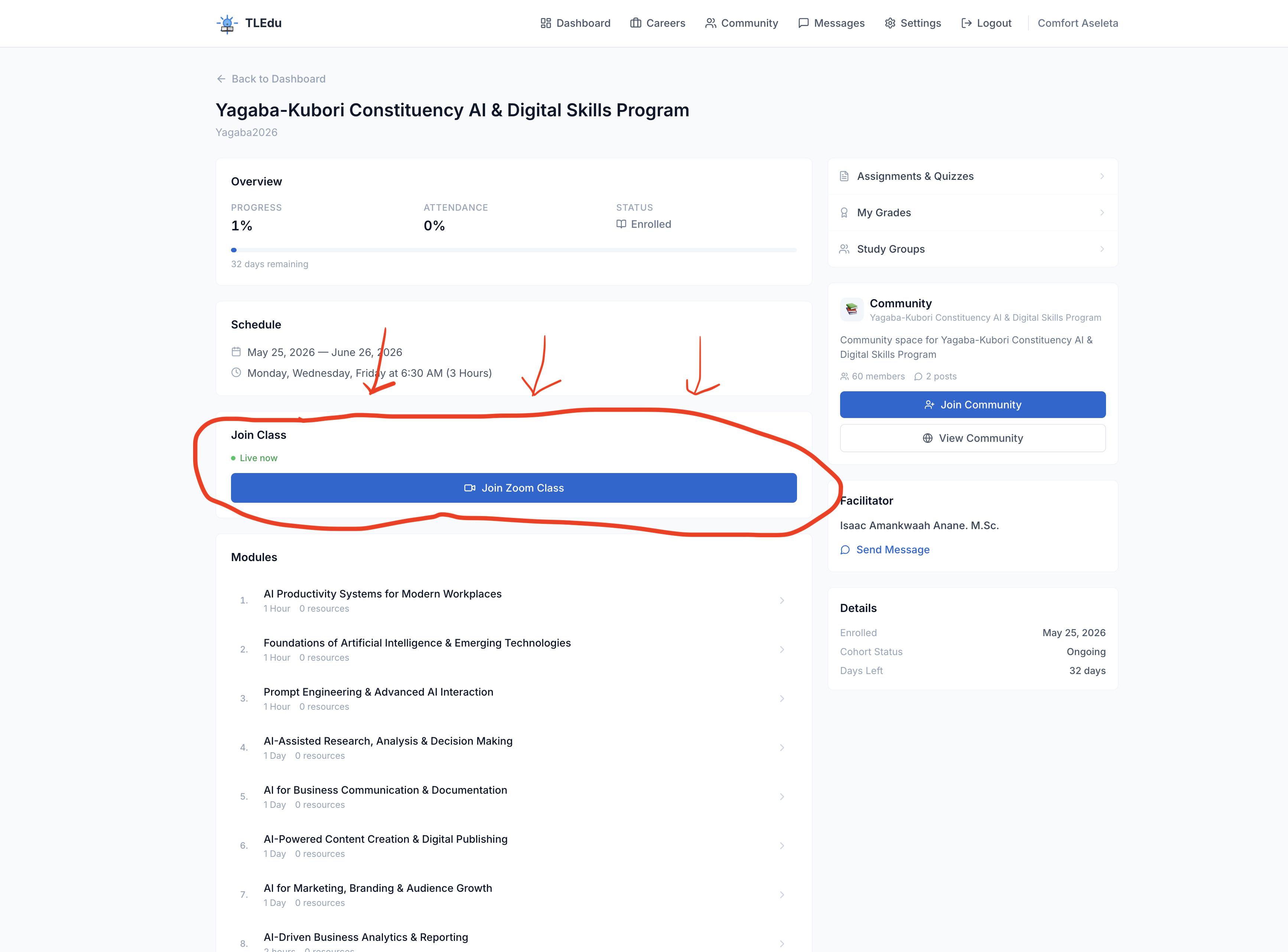
5. When it is time for class, the “Join Zoom Class” button will become visible.
You can click on the "Join Zoom class" button when it's visible.
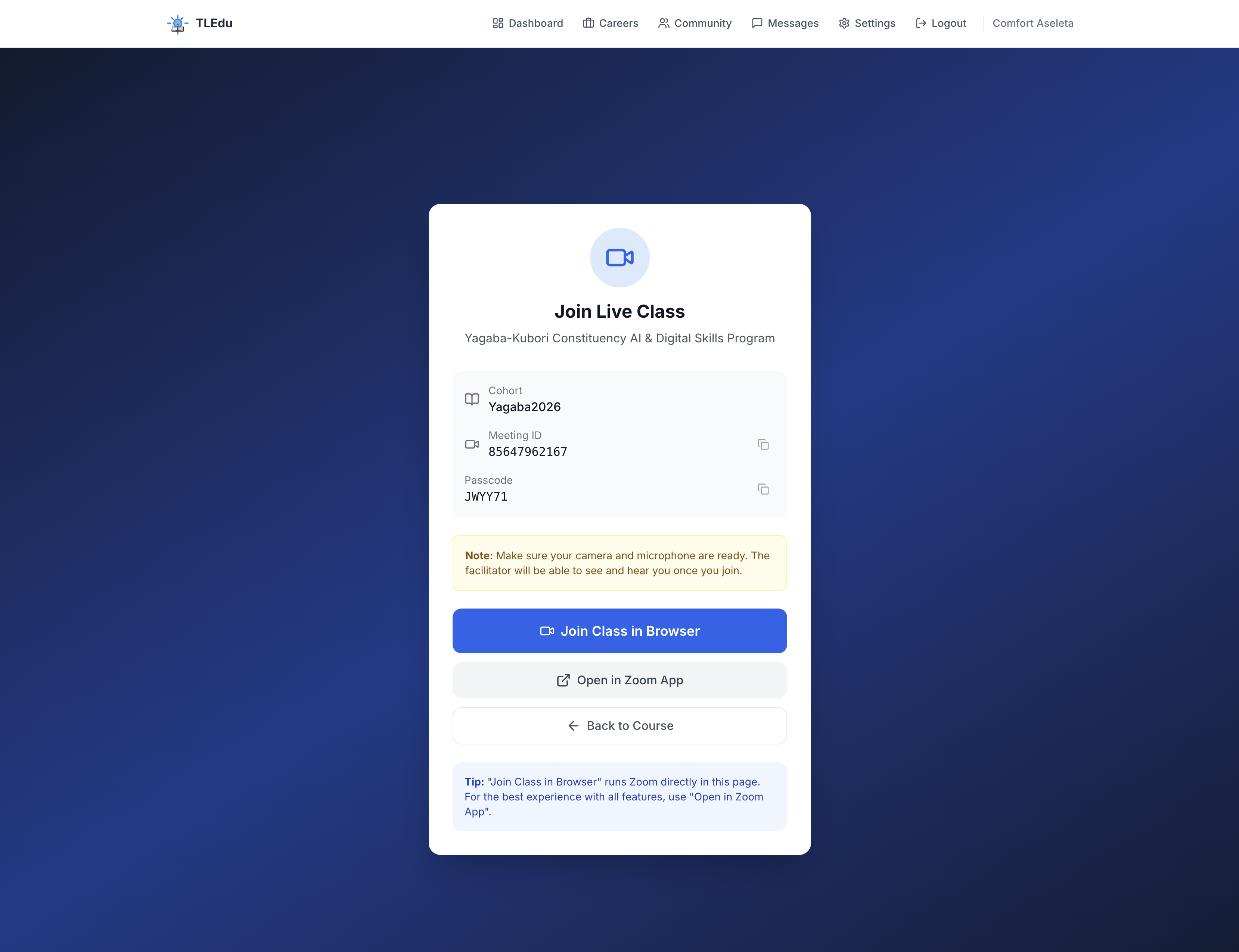
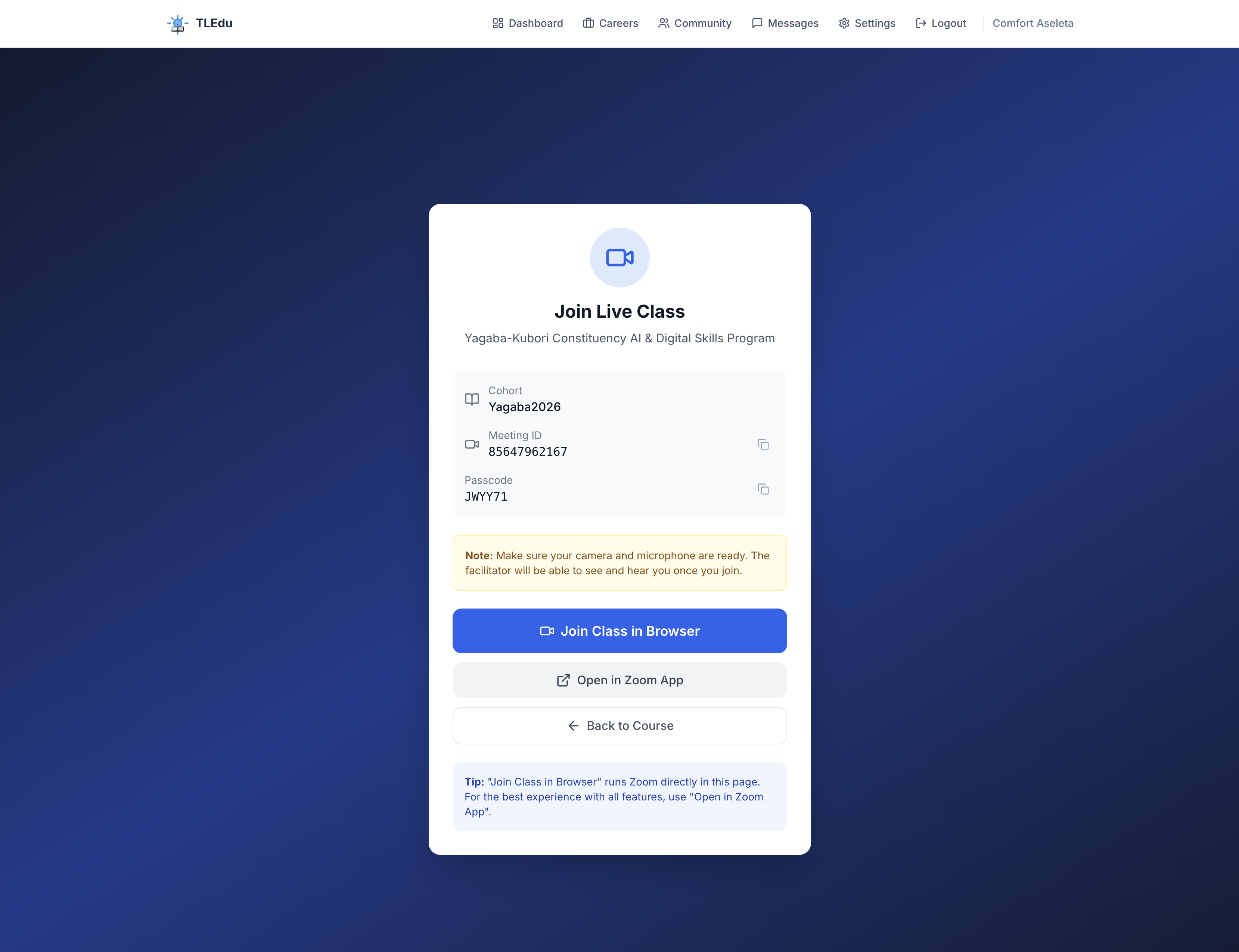
6. You can join the class directly from your browser or download the Zoom app. Joining from the browser is preferred.
Click on the “Join Class In Browser or Open Zoom App.
T
Tledu Ghana
Author at Tledu Ghana
Comments (0)
No comments yet. Be the first to share your thoughts!